

Phone not charging - cable, charger or charging port?
17 May 2022 · 3 min read
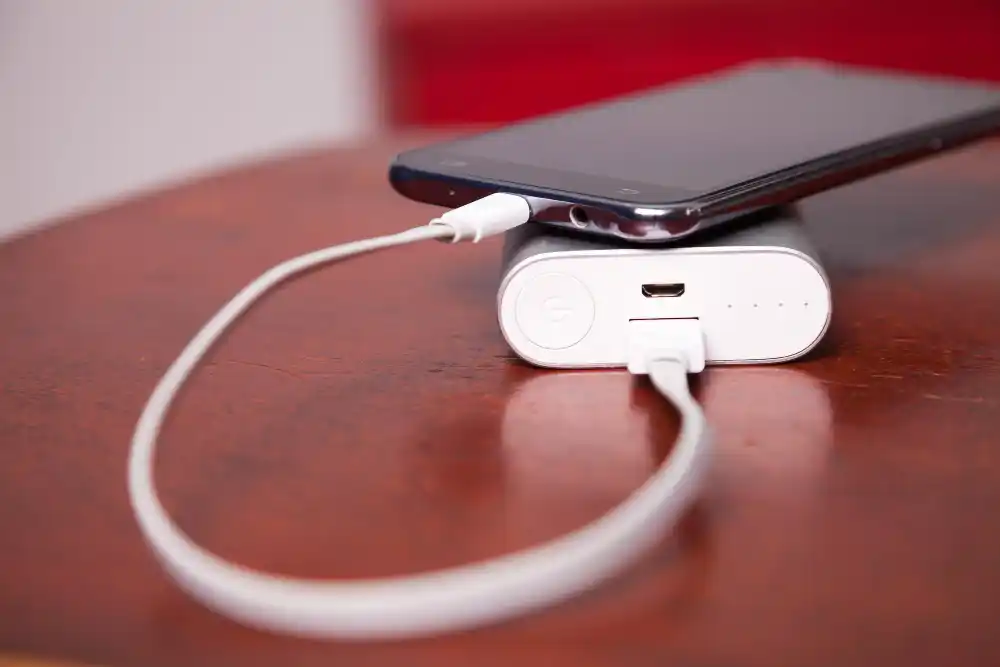
When the phone does not charge, the culprit may be the cable, power supply, dirty socket, battery or damaged charging port. Start by trying a different cable and charger. If the phone only charges at an angle or interrupts, do not force the cable to bend - this is a typical symptom of a problem with the socket.
First rule out the cable and charger
The most common scenario is simple: the phone is working, but the cable is broken at the tip or the charger does not provide the appropriate current. Therefore, before you think about repair, check the charging kit on another device.
- Connect your phone with a different cable.
- Use a different wall charger.
- Check if the cable only works at a specific angle.
- Check if the phone is charging from a computer or power bank.
- If you have a phone with USB-C, check both sides of the plug.
A dirty charging port is a common culprit
Pocket dust, dust, fibers and small dirt fall into the charging port. After some time, the plug does not reach the end and the phone only charges when the cable is pressed. This does not mean replacing the socket immediately.
Do not clean the socket with a metal needle or knife. You may damage the contacts or create a short circuit. If the plug does not go all the way in, it is safer to clean and check the port.
When to suspect a damaged socket
A damaged socket most often produces characteristic symptoms: the cable falls out, charging stops, the phone only responds when tilted or does not see the charger at all despite the working cable. Sometimes the phone charges very slowly because some of the contacts do not work properly.
- Cable moving loose in port.
- The phone charges only when the plug is pressed.
- Charging stops when the phone is slightly moved.
- The port was flooded or dirty.
- The phone fell while charging.
Could it be the battery
Yes, but the symptoms are a little different. A dead battery usually discharges quickly, turns the phone off, or the percentage drops. When the phone does not respond at all to several working chargers, you need to check both the battery and the charging path.
We have chargers and cables for many phones in stock, so you can quickly rule out accessories. If it turns out that the socket or battery is to blame, then we talk about repairing a specific model.
Frequently asked questions
- Can I clean the charging socket myself?
- You can gently blow out the dust, but do not insert metal tools into the port. If the plug does not go in completely, it is better to have it repaired at the service center.
- Why does the phone only charge at an angle?
- Most often, the culprit is a dirty or worn-out socket, sometimes a damaged cable. It's worth checking quickly before the port gets more damaged.
- Do I need to replace the charging socket immediately?
- Not always. Sometimes cleaning the port or replacing the cable is enough. It is worth making a decision only after checking the phone and accessories.
- Sklep Sympatia team, Łomża
The phone stops charging or does not respond to the cable? At Sympatia we will check the charger, cable and socket. We also have chargers and cables for touchscreen and keyboard phones on site.
Ask about charging